
Jul 7th 2026
Resources
- Facebook Ads for Amazon [Video Course]
- Drive Traffic To Amazon [Ultimate Guide]
- Get More Amazon Reviews [Ultimate Guide]

TL;DR
What exactly is Amazon negative product targeting?
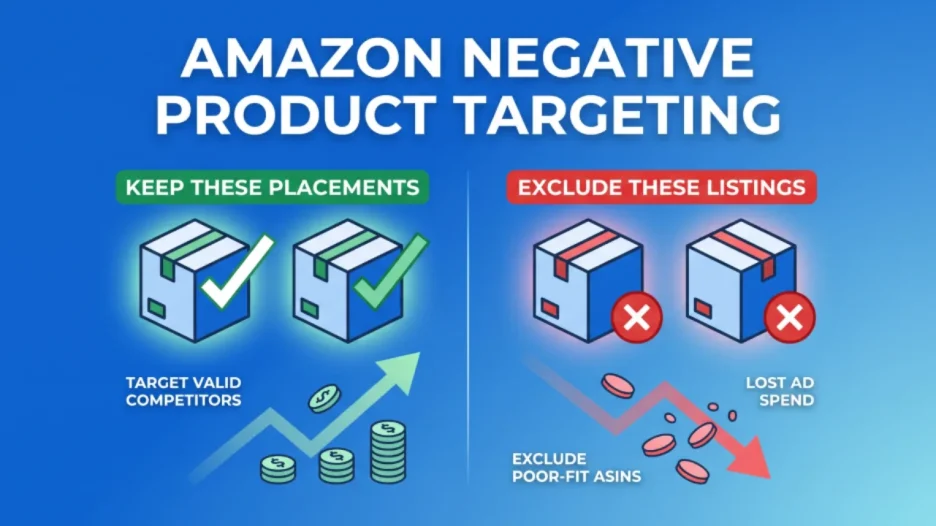
It is an advertising control mechanism that allows you to tell Amazon Ads which specific brands or products should not be associated with your advertisements. Unlike negative keywords, which block search queries, negative product targeting actively blocks your ads from appearing on specific competitor product detail pages.
Why is this strategy essential for protecting my ad budget?
Automatic and category campaigns routinely test a vast array of placements, some of which will inevitably be a poor fit for your product. Implementing a strict exclusion process stops your ads from accumulating non-converting clicks, allowing you to reallocate your budget toward placements that actually drive sales.
How does competitor pricing impact my targeting strategy?
Consumer psychology on Amazon relies heavily on price anchoring, meaning shoppers use the price of the first product they view as their baseline. If your premium, high-priced item appears on a budget competitor’s page, price-sensitive shoppers may click your ad out of curiosity but abandon the purchase due to the massive intent mismatch.
Can negative product targeting be used to organize my own product catalog?
Yes, it is a highly effective tool for brand defense and preventing product cannibalization. By using these exclusions across your own catalog, you can prevent your entry-level and premium products from competing against one another, granting you precise control over your cross-selling and upselling funnels.
Every Amazon ad placement comes with a cost. Many sellers focus on the keywords and products they want to target, but they give less attention to the placements they should exclude. That gap can waste budget fast. If your ads keep showing on product detail pages that do not match your offer, you may pay for clicks that have little chance of converting.
Table of Contents
- What is Negative Product Targeting in the Context of Amazon Ads?
- Why Negative Product Targeting Matters for Amazon Advertisers
- Using Data to Decide When to Exclude ASINs
- The Exception to the Rule: When to Bypass Statistical Waiting Periods
- The Execution Workflow: How to Mine Data and Find Targets
- Common Mistakes to Avoid in Negative Product Targeting
- Conclusion
- FAQ: Know All Amazon Negative Product Targeting
In another LandingCube guide, we explained negative keyword targeting, which helps stop ads from appearing for irrelevant Amazon shopping queries. Search results are only one part of Amazon advertising. Product Detail Pages (PDPs) also matter. When a shopper views a listing, they may see Sponsored Products or Sponsored Display ads related to that product.
But what happens when your premium, fifty-dollar stainless steel coffee maker shows up on the product detail page of a fifteen-dollar, low-quality plastic coffee maker? Some shoppers may click your ad out of curiosity, but their buying expectations may still be tied to the lower-priced product. That click can cost you money without creating strong purchase intent. Over time, this can hurt conversion rate and increase your Advertising Cost of Sales (ACoS).
This is the exact scenario that negative product targeting is designed to prevent. In this guide, we will explain how Amazon negative product targeting works, why it matters for ad efficiency, when to exclude an underperforming ASIN, and how sellers can use product-level exclusions to protect their ad budget.
What is Negative Product Targeting in the Context of Amazon Ads?
To understand negative product targeting, you must first understand product targeting (often referred to as PAT, or Product Attribute Targeting). While keyword targeting allows your ads to appear when a shopper types a specific phrase into the search bar, product targeting allows your ads to appear directly on the detail pages of specific competitor products, or within specific product categories.
Negative product targeting works in the opposite direction. It lets you tell Amazon Ads which products or brands you do not want your ads associated with.
It is crucial to draw a line here between negative keywords and negative products. Negative keywords prevent your ad from showing up in the search results when a user types a specific word. Negative product targeting helps prevent your ad from appearing on specific product detail pages or against selected brands, depending on the campaign type and targeting options available.
For example, if you sell a heavy-duty leather dog leash, you might use negative keyword targeting to block the phrase “retractable dog leash.” However, your auto-campaigns or category-targeting campaigns might still place your ad on the product detail page of a specific, highly popular retractable leash because Amazon’s algorithm categorizes both items under “Dog Leashes.” To stop your ad from appearing on that specific competitor’s page, identify the exact ASIN (e.g., B01NXXXXXX) and add it to your campaign as a negative product target.
In Sponsored Products and in other Amazon Ads campaign types where this option is available, advertisers can usually exclude specific products or brands. Product exclusions help stop ads from appearing on selected ASIN detail pages, while brand exclusions can block placements tied to a selected brand. If a large brand has stronger reviews, pricing, or brand recognition than you can compete with, you can add that brand as a negative target where the option is available. This can help reduce placements tied to that brand’s catalog.
Why Negative Product Targeting Matters for Amazon Advertisers
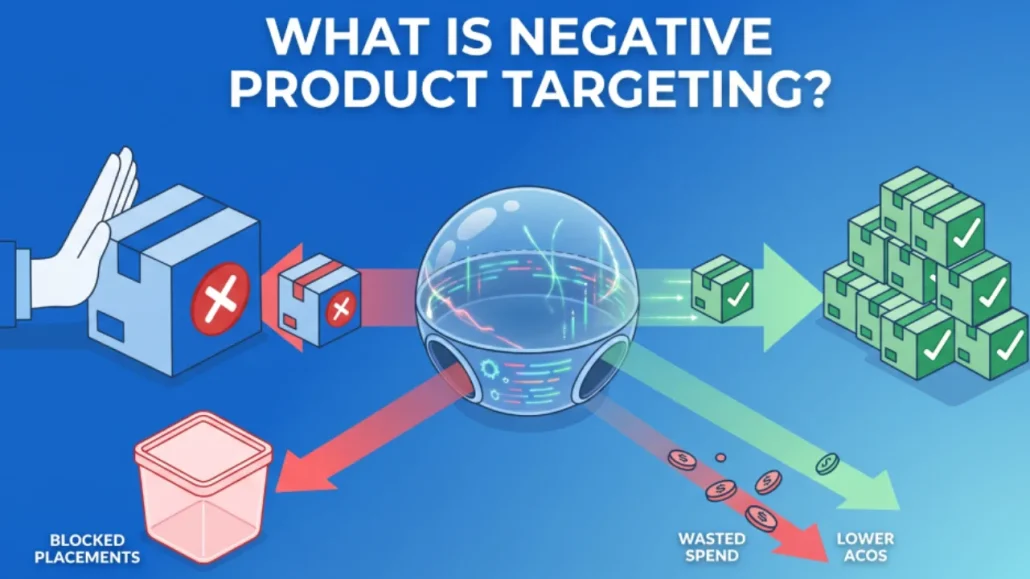
Some sellers treat negative product targeting as a later cleanup task. That can waste budget. Automatic and category targeting can test many placements, including products that do not match your offer. A clear exclusion process helps you reduce poor-fit clicks and protect your campaign budget.
The main benefit is budget control. Automatic and category campaigns can place ads across many related products. Some placements may convert well, while others may attract clicks without sales. By reviewing your reports and excluding poor-fit ASINs, you can shift more budget to placements with better performance.
Beyond budget preservation, negative product targeting can help improve campaign conversion rate by reducing placements that attract clicks without sales. Poor-fit placements can also weaken campaign performance data. If a product page gets clicks but no sales, that placement may not be a good match for your offer. Excluding it can help keep your campaign data cleaner and easier to act on.
When you exclude weak placements, your campaign data becomes easier to read. You can see which ASINs support sales, which placements waste spend, and where your budget should go next.
Furthermore, negative product targeting serves as a critical tool for brand defense and preventing cannibalization. If you are a seller with a deep product catalog, featuring both entry-level budget items and high-end premium items, you do not want these products competing against each other. If a shopper is looking at your entry-level product, and your premium product ad appears on that page, the shopper might become overwhelmed by the price discrepancy and abandon the purchase altogether. By using negative product targeting across your own catalog, you can reduce unwanted overlap between budget and premium products. This helps you guide cross-sells and upsells with more control.
Using Data to Decide When to Exclude ASINs
A common mistake is excluding ASINs too early. For example, a seller may see five clicks and zero sales in the Search Term Report and add that ASIN to the negative targeting list right away. That decision may be premature if the placement has not collected enough data.
The reason is simple: product targeting needs enough data before you can judge a placement fairly. When you are advertising on a competitor’s product detail page, you are inherently at a disadvantage. The shopper has already clicked on the competitor’s listing; they are reading the competitor’s reviews and looking at the competitor’s images. Your ad is an interruption. Therefore, the average conversion rate for Product Attribute Targeting (PAT) is generally lower than the conversion rate for highly specific, exact-match keyword targeting.
Let us assume that a healthy, realistic conversion rate for a product targeting placement in your specific category is roughly five percent. This means that, on average, you expect to generate one sale for every twenty clicks your ad receives on a competitor’s page. Because consumer behavior is inherently random, these clicks do not arrive in a perfectly predictable sequence. If a specific ASIN generates five clicks and zero sales, it is an entirely normal statistical variance. You have not even reached 25% of the expected baseline needed to generate a single sale.
If that same ASIN reaches 15 clicks with zero sales, it may feel tempting to exclude it. However, using the formula for binomial probability, we can determine the exact likelihood of this happening by pure chance. If your target conversion rate is five percent, the probability of getting zero sales after fifteen clicks is approximately forty-six percent. This means there is nearly a coin-flip chance that a perfectly profitable ASIN just experienced a completely normal run of bad luck. A forty-six percent margin of error is nowhere near statistically significant.
In professional data analysis and media buying, we strive for a ninety-five percent confidence level before making a definitive structural change to an account. We want the probability of this failure occurring by pure chance to be less than 5%. If we use a 5% target conversion rate, the math shows why early exclusions can be risky. At 30 clicks, there is still a twenty-one percent chance of zero sales. If you assume a 5% conversion rate, a stricter statistical model may require roughly 58 to 60 clicks with zero sales before you can be highly confident that the placement is unlikely to convert.
Amazon’s own guidance is more practical: evaluate performance after a target has received at least 20 clicks. A stricter statistical model may require more data, especially if your expected conversion rate is low. The key point is simple: do not exclude ASINs before you have enough data to support the decision. If sellers exclude competitor ASINs after only 7 or 8 clicks, they may block placements before the data is reliable.
Agencies and SaaS platforms may review more campaign data than an individual seller, which can help them spot recurring patterns faster. However, each brand still needs account-specific decisions. Pricing, margins, reviews, offer quality, and conversion goals can change whether an ASIN should be excluded.
RANK LIKE THE PROS
Discover a better way to rank products from external traffic, like Facebook, Google and TikTok, with LandingCube promo pages.
Try it free for 21 days.
The Exception to the Rule: When to Bypass Statistical Waiting Periods
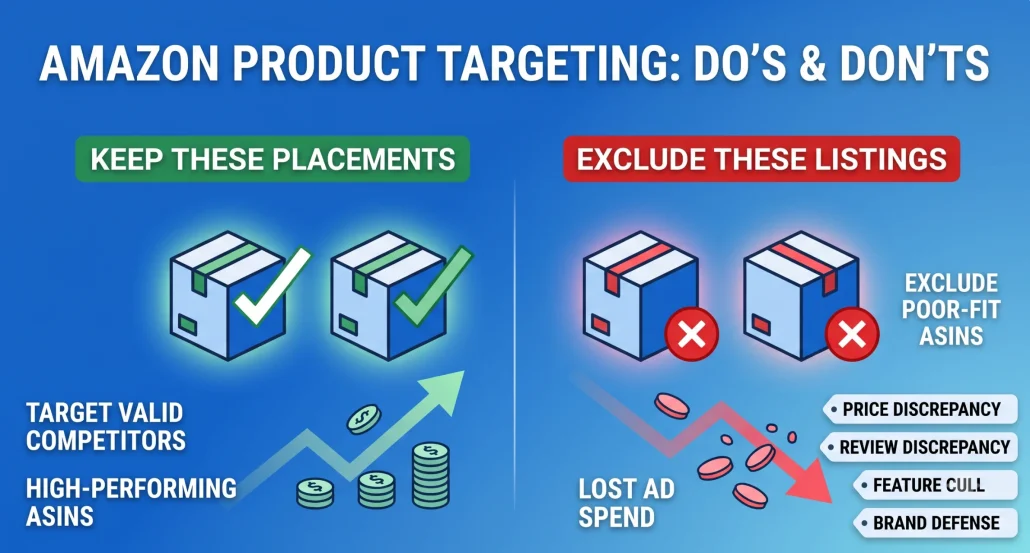
Data matters most when the ASIN is a close match. For clear mismatches, sellers do not always need to wait for a large sample. Price, reviews, product features, and customer intent can show that a placement is unlikely to work.
If the mismatch is clear, you may not need to wait for a large data sample. Price, reviews, features, and shopper intent can help you identify poor-fit ASINs before they consume budget.
Strategy 1: The Price Discrepancy Defense
Consumer psychology on Amazon is heavily driven by price anchoring. When a shopper clicks on a search result, the price of that initial product becomes their psychological baseline. If you are selling a premium, high-quality blender priced at two hundred dollars, and Amazon’s automatic targeting places your advertisement on the product detail page of a generic, low-tier blender priced at thirty-nine dollars, you have an intent mismatch.
The shopper evaluating the $39 blender is highly price-sensitive. They are looking for a budget solution. When they see your $200 ad, the price gap may be too large for their current buying intent. Some may click out of curiosity, but many will still compare options based on the lower price point. This can create paid clicks with low purchase intent.
Sellers can review competitor ASINs by price and flag products that sit far below their own price point. If the lower-priced product attracts a budget-focused shopper and your premium offer has no clear upgrade angle, that ASIN may be a good candidate for negative product targeting. Use price gaps as a signal, not as the only rule. Your premium product will often perform better on pages where shoppers already expect a similar price range.
Strategy 2: The Review Superiority Block
Reviews matter on Amazon. Shoppers often use star ratings and review counts to reduce purchase risk. When your ad appears on a competitor’s product detail page, shoppers may compare your rating and review count with the product they are already viewing.
If your product has 45 reviews and a 4.2-star average, while the competitor has 12,000 reviews and a 4.8-star average, your ad may face a difficult comparison. Many shoppers may choose the product with stronger social proof, even if your product has useful features.
Before launching product targeting campaigns, review the ASINs with the strongest review advantages. If a competitor has far more reviews, a stronger rating, and similar pricing, that placement may be hard to win. In that case, you may get better results by targeting newer competitors or products with weaker review profiles.
Strategy 3: The Feature Mismatch Cull
Sometimes products sit in the same category and price range but serve different shopper needs. This often happens with technical specifications or compatibility constraints.
Imagine you sell high-end, wired audiophile headphones designed for studio mixing. Because they are categorized as “Over-Ear Headphones,” Amazon’s automatic targeting may place your ads on the product detail pages of high-end Bluetooth wireless headphones, such as the Sony WH-1000XM series or Apple AirPods Max. The price points are similar, and the category is identical, but the consumer intent is entirely disparate.
A shopper specifically looking at a Bluetooth headphone detail page is prioritizing mobility and convenience. They do not want to be tethered to a desk by a cable. Presenting them with an advertisement for a wired headphone is a complete mismatch of utility. Even if they click the ad, the moment they read the bullet points and realize the product requires a physical connection, they will bounce. Sellers must intimately understand the technical dividing lines within their niches and utilize negative product targeting against ASINs that serve a different functional intent, regardless of categorical similarities.
Strategy 4: Negative Brand Targeting and Generic Defense
Amazon also allows advertisers to exclude brands where the option is available. For example, a private label running shoe brand may decide not to show ads on Nike-related placements if Nike has stronger brand recognition, reviews, and customer loyalty. In that case, negative brand targeting can help reduce those placements without excluding ASINs one by one.
Negative brand targeting can also help with generic brands that compete mainly on low price. In some categories, many similar listings attract shoppers who are focused on the cheapest option. If that audience does not match your product, you can review those brands in your Search Term Report and consider adding them as negative brand targets.
The Execution Workflow: How to Mine Data and Find Targets
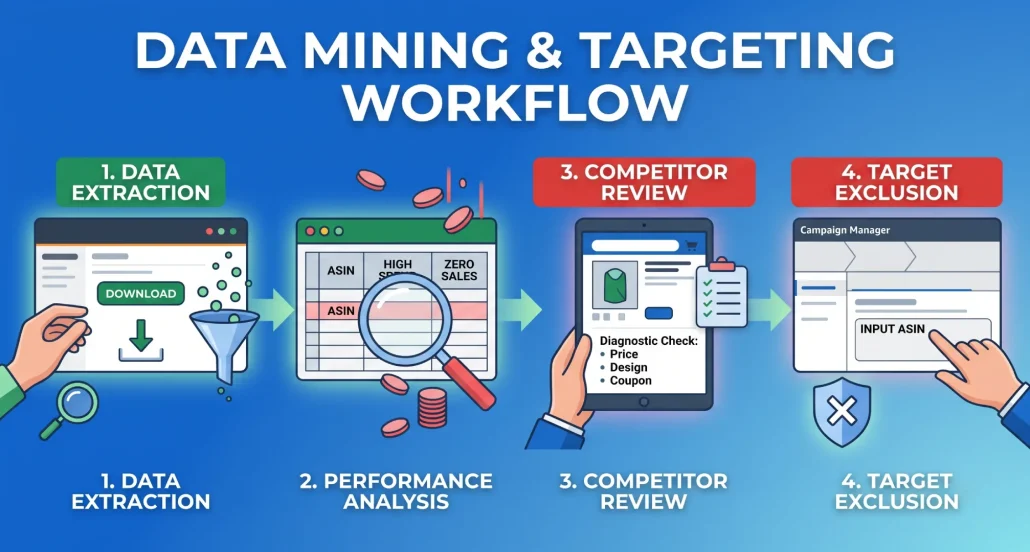
These strategies work best when you review data on a regular schedule. The main report to use is the Amazon Search Term Report, which is available through the advertising console in Seller Central.
When you download your Sponsored Products Search Term Report, review the “Customer Search Term” column. Amazon notes that alphanumeric entries in this column can correspond to ASINs and the product detail pages where your ad displayed. These ASIN-related entries appear for automatic-targeted campaigns and product-attribute-targeted ad groups. From here, the data analysis begins. You sort the filtered data by “Spend,” descending from highest to lowest. You then look at the “Total Sales” column. You are hunting for the ASINs that have consumed a significant portion of your budget but have yielded zero revenue.
When you find an ASIN that has breached your statistical threshold—for example, it has generated sixty clicks and zero sales, or it has spent three times your target Cost Per Acquisition (CPA) without a conversion—you copy that ASIN. Before adding the ASIN to your negative targeting list, manually review the competitor’s product detail page.
You take the underperforming ASIN and type it directly into the Amazon search bar to pull up the competitor’s product detail page. You must ask yourself, “Why did my product fail here?” Was the competitor priced drastically lower? Did they have a better coupon? Is their product simply better designed? By diagnosing the reason for the failure, you inform your future product development and pricing strategies. Once you have diagnosed the issue, you navigate back to your Campaign Manager, select the specific campaign and ad group, click on the “Negative Product Targeting” tab, and paste the ASIN into the exclusion list. This removes one poor-fit placement from your campaign.
Common Mistakes to Avoid in Negative Product Targeting
Negative product targeting can also create problems when sellers apply it too broadly or review it too rarely.
RANK LIKE THE PROS
Discover a better way to rank products from external traffic, like Facebook, Google and TikTok, with LandingCube promo pages.
Try it free for 21 days.
The first major mistake is ignoring the “Frequently Bought Together” potential. Sometimes, your product might appear on the detail page of an item that seems completely different from yours, leading you to intuitively negate it. For example, if you sell a high-end camping flashlight, you might be confused to see your ad generating impressions on the detail page of a camping tent. A novice seller might negate the tent ASIN, assuming the categories are mismatched.
A tent and a flashlight can be complementary products. A shopper viewing a tent may also need camping accessories, including lighting. If the placement converts, do not block it only because the products are different. You must let the financial data dictate the strategy, not your preconceived notions of category alignment.
The second massive mistake is the “Set It and Forget It” mentality. The Amazon marketplace is incredibly dynamic. Competitors change their prices, they run out of stock, they launch new variations, and their review ratings fluctuate. An ASIN that you negated six months ago because it was priced at twenty dollars might have recently raised its price to fifty dollars due to supply chain issues. If your product is priced at forty dollars, that competitor’s page is suddenly a highly advantageous placement for your ad. Elite sellers routinely audit their negative targeting lists. They extract the ASINs they negated in previous quarters and spot-check them to see if the market dynamics have shifted. If a competitor has lost their competitive edge, you must remove them from the negative list and resume targeting their traffic.
Lastly, sellers often fail to differentiate their negative targeting strategies at the ad group level. If you have an ad group dedicated to promoting your premium, high-priced variation, you should heavily negate low-priced competitor ASINs. However, if you also have an ad group promoting your entry-level, budget-friendly variation, you do not want to apply those same negative targets. Your budget variation might compete exceptionally well against those cheaper competitor ASINs. Negative product targeting must be applied surgically, mapped directly to the specific strategic goal of the individual ad group, rather than lazily blanketed across the entire advertising account.
Conclusion
Negative product targeting is more than a cleanup task. It helps sellers control where their ads appear, reduce spend on poor-fit placements, and focus budget on product detail pages with stronger conversion potential.
By understanding the difference between keyword exclusion and product exclusion, using performance data before making exclusions, and reviewing price, review, and feature gaps, you can improve control over where your Amazon ads appear. Review your Search Term Reports regularly, exclude poor-fit placements, and keep your negative targeting list aligned with your current campaign goals.
FAQ: Know All Amazon Negative Product Targeting
Negative keyword targeting prevents your ads from appearing in the search results when a shopper types a specific word or phrase (e.g., blocking the word “cheap”). Negative product targeting prevents your ads from appearing on specific competitor product detail pages (PDPs) or within a specific competitor’s brand catalog, regardless of what the shopper searched to get there.
If you are running Automatic campaigns or Product Targeting (PAT) campaigns, Amazon will display your ads directly on the listings of competing or complementary products. These ads typically appear in carousels labeled “Sponsored products related to this item” or directly under the buy box.
You must download your Search Term Report from the Amazon Advertising console. Open the report in a spreadsheet and review the “Customer Search Term” column for ASINs. Many ASINs start with “B,” while some may be numeric. Sort the data by ad spend to identify ASINs that have cost money but generated zero sales.
It depends on your average conversion rate and risk tolerance. Amazon recommends evaluating performance after a target receives at least 20 clicks. If you want a stricter statistical benchmark and you assume a 5% conversion rate, you may wait closer to 50 to 60 clicks with zero sales before treating the ASIN as a clear poor performer.
Yes. Amazon’s advertising console allows for Negative Brand Targeting. Instead of pasting hundreds of individual ASINs, you can search for a competitor’s registered brand name in the negative targeting section and reduce placements tied to that brand without adding each ASIN manually.
Generally, yes. If your premium product ad appears on the detail page of a heavily discounted or budget-tier competitor, the shopper is usually anchored to that low price point. They are highly unlikely to convert on your premium product, resulting in wasted ad spend on curiosity clicks. This is known as the “Price Discrepancy Defense.”
If used incorrectly, yes. If you panic and negate an ASIN after only three or four clicks, you might be blocking a placement that would have been highly profitable over the long term. Additionally, if you negate highly relevant complementary products (e.g., negating a tent ASIN when you sell camping flashlights), you could cut off a lucrative cross-selling traffic source.
You can apply it at both levels. However, it is strategically better to apply it at the ad group level. This allows you to be highly surgical. For instance, you might want to block a cheap competitor ASIN in the ad group for your premium product, but allow your ads to show on that same competitor’s page in the ad group for your budget product.
If you run Auto campaigns, Amazon will often show your ads on your own product pages to encourage cross-selling. If you want to protect your own product pages from competitors, this is good. However, if you are cannibalizing your own sales (paying for a click when the customer was already going to buy the item they were looking at), you should negate your own ASINs.
Yes, negative product targeting is not a “set it and forget it” task. Competitors frequently change their prices, improve their ratings, or run out of stock. An ASIN that was a terrible target six months ago might be a great target today if they raised their price above yours. You should periodically audit your negative lists to ensure your strategy matches current market conditions.
RANK LIKE THE PROS
Discover a better way to rank products from external traffic, like Facebook, Google and TikTok, with LandingCube promo pages.
Try it free for 21 days.